Category: Communication
Developer: WGSoft.de
 Verified App


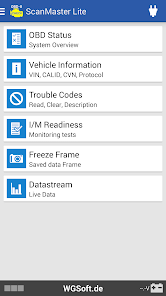
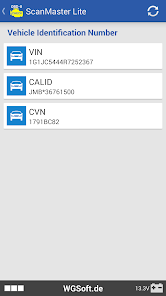
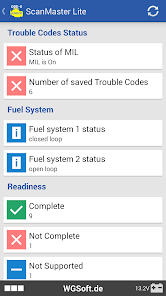
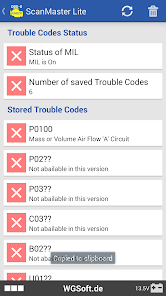
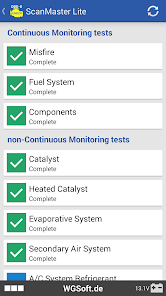
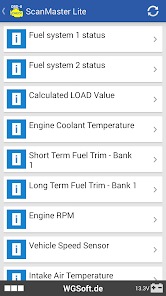
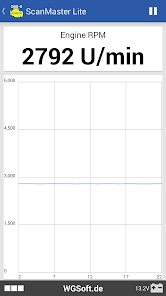
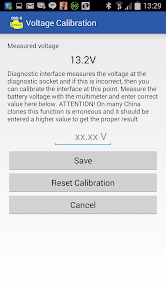

 Unlock your car's potential Real-time diagnostics insights User-friendly interface design Supports multiple vehicle brands Detailed fault code explanations
 Limited vehicle compatibility Occasional connectivity issues User interface can be confusing Inaccurate data readings sometimes Requires frequent updates
  Google Play
  App Store

Used the free version for years, as it have me just what I needed for basic info and check engine diagnosis. With a recent update, much more of the app is 'Pro version only', which is the developers right but makes the app far less useful unless you choose to pay. Time to find another app. As a bonus, I'll end up with a little better user experience (better ordering of monitored items, for example, making it easier to find the O2 sensor in a list of options)
I bought the Pro version, and it's worth the price. I'm a Smog Tech and when I need to show a customer the state of their vehicle this app displays the codes and monitors with a lot of clarity. I don't like that all the of the Freeze Frame data such as Fuel Trim information is not displayed. There had been times when Permanent Codes were not displayed. Since the last update, you need to use the Dark Theme to view the control buttons, such as the ones used to select data pids.
It connects easily and it gives u many parameters to look at. But you need a PhD in engineering to understand it most of it. Simple ones are fine but if each included a simple explanation it will make this app the best in the market; Also another thing is that I can't email the log files or download them in txt or notepad++ files so we can easily read them.
Does the basics better than competitors. Today my van lost the torque and eventually, the check engine light came on. Some apps require money for a single faults reset, others require a full version of the app and they still wouldn't do what you'd like. This app showed me the errors, let me reset them and eventually I could make a workaround the fault and keep driving home. Thank you so much!
Every time I run the app it finds the odb2 unit it finds the computer the ECM and then dies on the phone restart app. The real interesting thing about this is that I'm sitting alongside the highway broken. I think it's the fuel pump. But now out of the few I was looking to make work I have to get rid of this app and try to find another one. First in Play Store they all look like they're going to work until you install them then they tell you that it cost money. That's no good Google.
Review Source: Google Play store public user reviews.
Can I submit suggestions or feedback to ScanMaster for ELM327 OBD-2? Yes, users can submit feedback and suggestions through the app's support section or via email to the developers.
You can reach customer service via the support section in the app or visit the official website for contact details.
Enter the license key in the activation section of the app settings to activate your copy of ScanMaster.
Open the app and enter your registered email and password on the login screen. If you don't have an account, you can create one.
Yes, activation is required for full functionality. You can activate it using the license key provided upon purchase.
The customer number can be found in the app's settings or on the official website under the support section.
Lots of optimizations and improvements