Category: Education
Developer: Duolingo
 Verified App


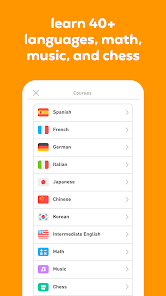
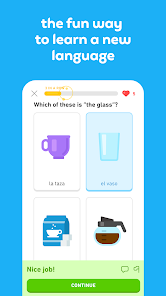
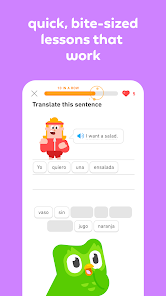
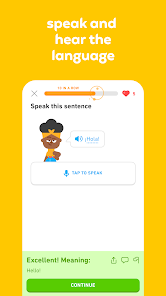
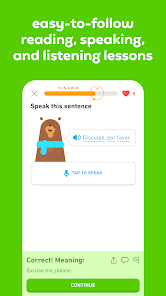
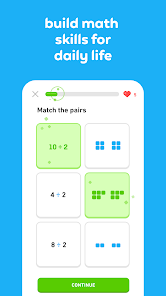
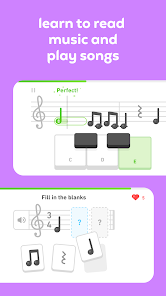
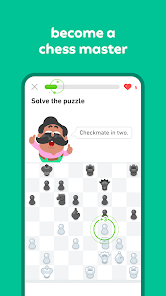
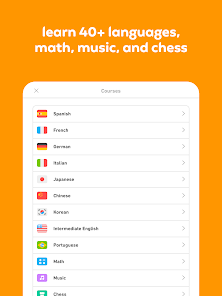
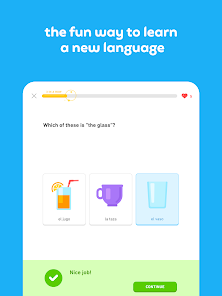
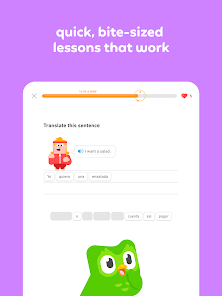
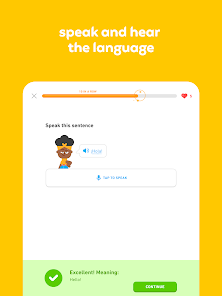
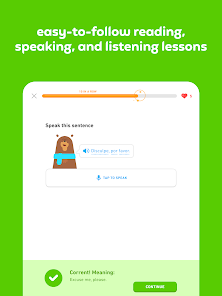
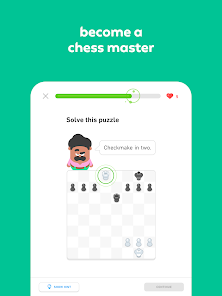
Duolingo is a free language-learning app that helps users learn new languages through interactive lessons. It offers courses in over 30 languages, including Spanish, French, German, Italian, Portuguese, Dutch, Irish, Danish, Swedish, and English. The app uses a variety of methods to teach users, including audio, text, and images. It also offers a variety of games and activities to help users practice their language skills.
Features & Highlights
Real Experience Using Duolingo: language lessons
Application Scenarios
As someone constantly on the go, Duolingo has seamlessly fit into my daily routine. Mornings often start with a quick session while I sip my coffee, where I focus on vocabulary and grammar. During my lunch break at work, I’ll sneak in a few lessons, turning what could be idle time into productive learning. Even while waiting for appointments, I can pull out my phone and dive into a lesson. The flexibility of using Duolingo wherever and whenever I want has made language learning feel less like a chore and more integrated into my life.
User Experience
The user interface of Duolingo is simple and intuitive, making navigation a breeze. Each lesson is structured with a variety of exercises including translation, multiple-choice questions, and speaking prompts, which keeps the learning process dynamic. I particularly appreciate the way the app tracks my progress; it uses visual progress bars and streaks that motivate me to keep going. Performance-wise, the app is smooth with minimal lag, which enhances the overall experience. After using Duolingo for several months, I feel more confident in my language skills, and I love that I can see my improvement over time.
Pricing
Duolingo is free to use, which is a huge advantage for learners who may not want to commit to expensive language courses. The app also offers a premium subscription, Duolingo Plus, which provides an ad-free experience, offline access to lessons, and other perks. I’ve tried the free version and found it to be incredibly comprehensive, but I can see how the premium features might be attractive to more dedicated learners.
Updates & Support
Duolingo regularly updates its app to enhance user experience and add new features. I've noticed improvements in the speech recognition functionality and new language courses being introduced. The support team is responsive; I once encountered a bug during a lesson, and after reaching out, I received a helpful reply within a day. This level of support adds to the overall trustworthiness of the app.
Security & Privacy Review
When it comes to security and privacy, Duolingo prioritizes user safety. The app is available on both the App Store and Google Play, ensuring it meets standard security protocols. Upon registration, users are required to provide minimal personal data, which helps in maintaining privacy. I appreciate that Duolingo does not collect unnecessary information, focusing instead on creating a personalized learning experience based on your chosen language. However, it’s important to note that the free version does contain ads, which may involve some level of tracking behavior. Users should review the privacy policy to understand how their data is used and opt for the ad-free experience if they have concerns.

 Engaging, gamified lessons make learning fun. Personalized learning paths cater to individual needs. Flexible scheduling fits any lifestyle or routine. Wide variety of languages available to choose from. Progress tracking motivates consistent practice and improvement.
 Limited speaking practice opportunities Lessons can feel repetitive Insufficient grammar explanations Lack of cultural context in learning

(French) Only tried the free version so far, but... It doesn't detect short words well. "J'" and "bus" are never understood, regardless of how many times I try. Many playbacks also cut off the first or last part of the sound, just just fail to play. This is true with or without Bluetooth audio. The characters in the app are annoying, but that's a personal opinion. Good progression and addition of new vocabulary words, but a dictionary of words would be nice for review purposes.
I used to really love this app, but with each new "improvement/update" it's gotten helpful and more frustrating. I am a broke college student and can no longer pay for the subscription. Now unless I want to spend hours watching videos to get energy or spend a lot of diamonds to buy energy, they only give you enough for one round. I am seriously considering letting my 1175 day streak go and uninstall the app altogether. I will wait to see if they make any changes to fix this issue.
What happened with this latest update? All of the sudden I'm thrown into a lesson where I don't know half the vocabulary and it says 'you're refreshing your memory'. It's so frustrating, makes me want to quit You ruined my entire experience with Duolingo after a couple of years of using it. I want a refund and I'm moving to something else. Do not purchase a subscription, they won't refund you when they ruin all your progress.
My opinion of the app has been dropping a lot lately. Removing the sentence discussions has been a huge loss. I made heavy use of those to understand mistakes or sentences I didn't quite get. Now, many mistakes leave you confused and with no explanation or way to figure out what you did wrong. Overall, Duolingo is not a bad app for supplementing language learning. However, it falters as a primary source and it seems to be getting worse and not better. Additionally, Latin support is a joke.
While it started good, this app has quickly spiraled into something I dread doing. For starters, every single time challenge is far too short and should be at least 2 to 5 minutes longer. Especially in the beginning stages. Second, I have trouble spelling, I always have and always will. But lately 100% of the tests require spelling so I'm spending 10 minutes just trying to spell one word, and I'm sorry, but when you fail repeatedly, it doesn't make you want to continue. I dislike this app.
Review Source: Google Play store public user reviews.
Yes, Duolingo: Language Lessons collects some personal data, such as your email address and usage statistics, to enhance your learning experience and improve the app.
Duolingo: Language Lessons offers a free version that provides access to a wide range of language courses, while additional features are available through a paid subscription.
While an internet connection is needed for initial downloads and some features, Duolingo: Language Lessons also offers offline access to certain lessons once they are downloaded.
You can contact Duolingo support or send feedback through the app’s help section or by visiting their official website, where you can submit inquiries or access their help center.
You can manage or cancel your Duolingo: Language Lessons subscription through the app settings or your account settings on the Duolingo website, depending on how you initially subscribed.
You can cancel your subscription in the account settings under the subscription section in the app or website.
You can reach Duolingo customer service through the app's help section or visit their website for support options.
Go to the settings in the app or website, select "Account," and then choose "Change Password" to update it.
Duolingo does not provide a customer number; you can use your username or email for support inquiries.
To reactivate, go to the app or website, log in, and follow the prompts to resubscribe to Duolingo Plus.
Our mascot owl, Duo, is trading in his usual diet of mice for bugs this week. Yup, we’re squashing those pesky bugs to make the experience better for all of you.For more Duolingo news, contests and product releases, follow us on Facebook, Twitter, and Instagram @duolingo.










 Google Play
  App Store