Category: House & Home
Developer: Yosmart Inc.
 Verified App


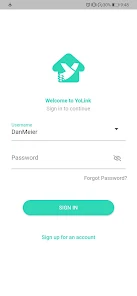
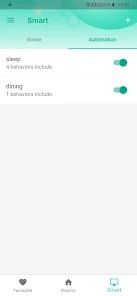
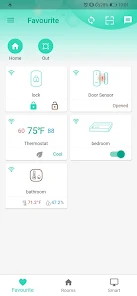

 Experience seamless automation Control devices from anywhere User-friendly interface design Real-time notifications and alerts Energy-saving smart solutions
 Limited device compatibility User interface can be confusing Occasional connectivity issues Requires stable internet access Notifications may be delayed
  Google Play
  App Store

Equipment is solid but app is unbelievably retarded. 5 years strong with over 25 devices yet the potential I can get out of these devices are still to come. Unfortunately, this does not act like an alarm - as most seem to be trying to achieve. No simple way to just arm, disarm, stay and home. Yolink started out with lots of talk, yet I haven't seen an app update or interface change.
Great Devices!! Highly Recommend. The App might be a bit tricky for some people at first. But the customer service was excellent, 100% available, and Helpful over the phone. The batteries in the devices have lasted me 4-years already without having to change. Very impressive and reliable. Very rare for us to have any hiccups.
Good alarm but it has some stuff that can be improved. Pros: No subscription, works good, good technology, lots of different alarm products. Cons: App is complicated, occasionally a sensor goes offline. The main con is the app is very complicated. It is very difficult to turn the alarm on/off. Setting up different alarm settings is very complicated and difficult. It would be better to simplify the app to have 3 main setting (Off, Home, Away). When you do have everything set up, it works
Recording are great, audio is great, night vision is great, so long as you can actually view the videos in the app. Session timeout can be reached after only watching three videos and then you're not allowed to watch the videos from that camera anymore for a variable amount of time(sometimes 30 min to an hour). If you try to contact customer support from the app that sends you to shop on their website. Frustrating to say the least.
Pretty good so far. I'm using it for water leak detection. Yolink's Sensor 2 detected a drip on its second day of use, so very happy with that. Getting the hub set up on WiFi was a challenge so I finally just used the Ethernet cable and that worked great. One big plus of the system is being able to get text alerts when a leak is detected. Even my Ring security alarm, shockingly, can't do that. They should fix the green / white app colors though.
Review Source: Google Play store public user reviews.
Can I submit suggestions or feedback to YoLink? Yes, YoLink encourages user feedback and suggestions through their support channels or within the app.
You can reach YoLink customer service through the app's support section or by visiting their official website for contact information.
To activate, open the YoLink app, select 'Add Device,' and follow the on-screen instructions to connect your devices.
Open the app, enter your registered email and password, then tap 'Log In' to access your account.
Yes, you need to activate your devices through the app after setting them up to ensure they function properly.
The customer support number for YoLink is typically listed on their website or within the app under the help section.
We fixed some bugs for a better experience with the app.