Category: Auto & Vehicles
Developer: Sunoco
 Verified App



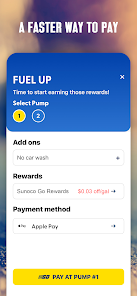
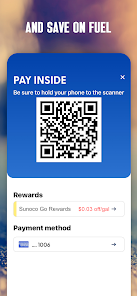
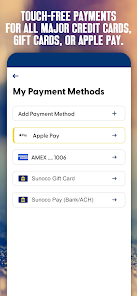
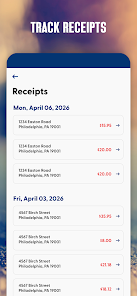
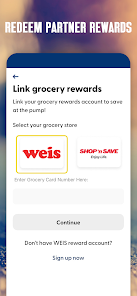
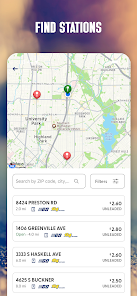


 Experience seamless payments Enjoy exclusive discounts daily Track your fuel rewards easily Access special promotions quickly Stay updated with app alerts
 Limited availability of locations High fees for certain services User interface can be confusing Inconsistent rewards program Customer support response time
  Google Play
  App Store

I stopped going to the local Sunoco because it is more expensive than the competition down the road. When I read I could save 13 cents a gallon with the app I signed up for and returned to Sunoco. The app gives me a "Transaction failed" error. I contacted tech support, they told me it wasn't connecting to data. 5G is in my status bar and I have a line of sight to two towers. I explained this to tech support, included screenshots and they have not responded. Returning to the other gas station
App keeps declining when I try to add my checking account for the additional 10¢/gal discount. Apparently my checking account was deemed "high risk" because I don't keep a surplus of funds in it. I keep only $1k-$2k in my checking account to limit the risk of losing money if it's compromised, everything else is in savings. Apparently, they deemed this as "high risk" for them not getting payment. Absolutely ridiculous. Don't bother downloading, not worth 3¢/gal discount.
The app advertises savings of up to 13¢ per gallon if you add a checking account. I added mine, but the app keeps declining it. I called customer service, and they told me my checking account “is not good,” which makes no sense — I’ve never had any issues with my bank account or checks. It feels misleading to promote savings that many customers can’t actually access. Very frustrating experience.
Pulled up the app at the pump. Message tells me to use another form of payment due to system errors. So... I have your app that doesn't work the majority of the time! No 3¢ off per gallon and if it isn't recorded twice a month you lose the discount. Thanks but no thanks, I'll buy my gas at Sheetz! No app, cleaner stores, more variety and price is cheaper!
Oh well, great app, but a bad policy. I used the app a few times. Loved it. Then I found out you can only pay at the pump once every 24 hours. I drive a ton of miles, and sometimes have to fill up a 2nd time before my night is done. I explained this to customer service, but they had a "that's just the way it is " attitude. I tried the ConocoPhillips app. Just as good as the Sunoco app, but no limit on use. Plus I save $0.10 to $0.15 per gallon. Suncoast has lost a very loyal customer.
Review Source: Google Play store public user reviews.
Yes, users can submit feedback through the app or contact customer support for suggestions.
Yes, the app collects personal data to enhance user experience and provide personalized offers.
The app requires an internet connection for most features, but some functionalities may be accessible offline.
Since there is no subscription, you can simply uninstall the app to stop using it.
There is no subscription fee; the app is free, but certain promotions may require participation.
Yes, you can update your payment information in the app under the 'Payment Methods' section.
You can reach Sunoco customer service at 1-800-786-6626 for assistance with the Pay Fast & Save app.
To activate, open the app, select 'Sign Up,' and follow the prompts to create and verify your account.
To check your transaction history, log in to the app and navigate to the 'Transaction History' section.
To log in, open the app, enter your registered email and password, then tap 'Log In' to access your account.
Release Notes:-This update includes minor enhancements to provide a more reliable and seamless user experience.