Version: 0.103.0
Developer: OBDeleven
 Verified App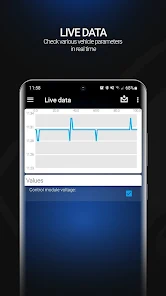
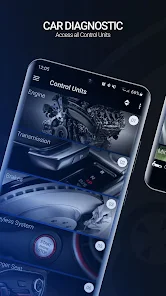
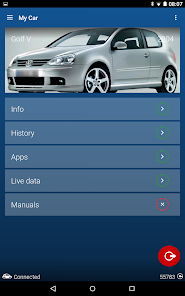
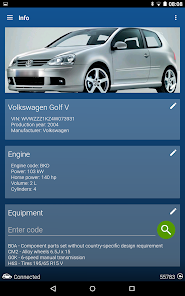
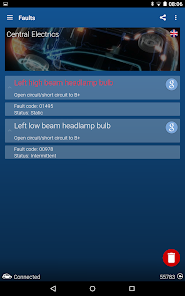
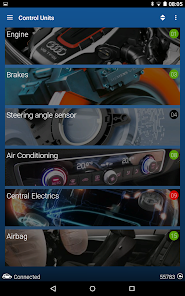

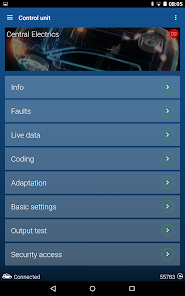
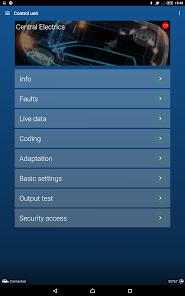
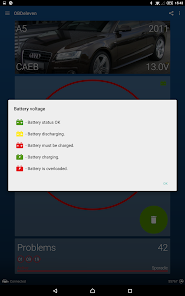
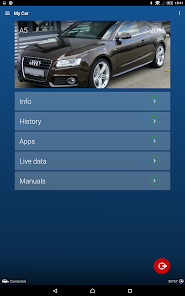
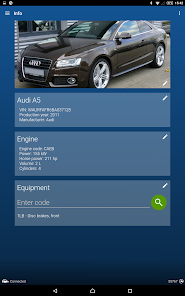
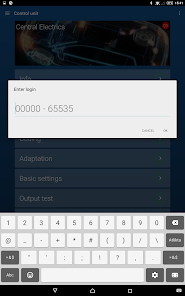
Features & Highlights
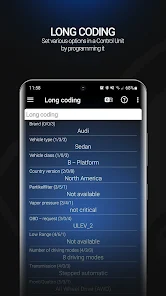
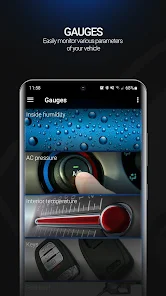
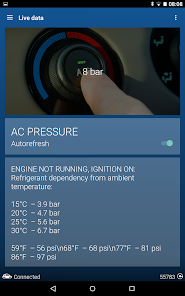
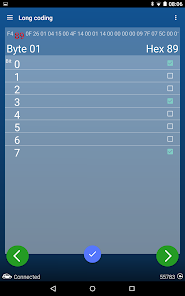
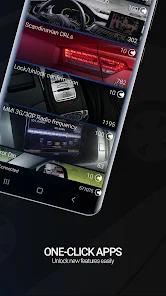
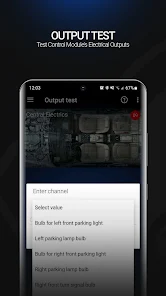
The OBDeleven VAG car diagnostics app is a powerful tool designed for Volkswagen, Audi, SEAT, and ŠKODA vehicles. Its robust features make it an essential companion for car enthusiasts and everyday drivers alike. Here are some of the standout features that I found particularly useful:
Real Experience Using OBDeleven VAG car diagnostics
Application Scenarios
As a daily driver of a VW Golf, I often found myself curious about the status of my vehicle's systems. One day, after noticing a strange noise from the dashboard, I decided to pull out my OBDeleven device. I connected it to the car and, after a quick setup, was able to run diagnostics right from my phone. Within minutes, I discovered the source of the noise was a minor glitch in the radio system, which I could easily reset through the app without needing to take my car to a dealership. This not only saved me time but also the potential costs of a mechanic visit.
Another scenario occurred when I wanted to personalize my car settings. I love the idea of having my car's lights turn on when I unlock the doors at night. Using the OBDeleven app, I was able to access the adaptation settings and enable this feature in just a few clicks. This personalization made my driving experience feel a bit more luxurious and tailored to my preferences.
User Experience
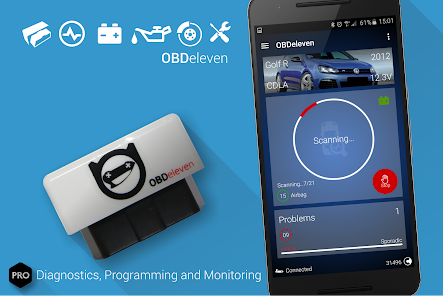
The user experience with the OBDeleven app is one of its strongest suits. The interface is sleek and intuitive, making it accessible for both seasoned car enthusiasts and everyday users. Upon opening the app, I was greeted with a clean dashboard that displayed all the necessary features without overwhelming me. Navigating through the app felt natural; I easily found the diagnostics, adaptations, and other tools I needed.
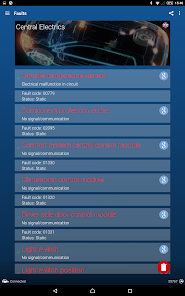
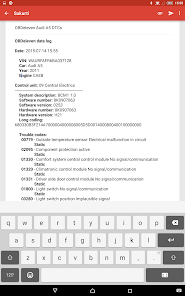
The performance of the app is commendable as well. It connects quickly to the vehicle, and the data retrieval process is swift, allowing me to get real-time insights into my car’s health. Whenever I encountered an issue, the fault code readings were clear and accompanied by helpful descriptions. This feature helped demystify car problems, empowering me to understand and address issues more efficiently.
Pricing
OBDeleven offers a tiered pricing model, which I found to be quite reasonable. The basic app is free to download, but to access advanced features, there are subscription options available. After evaluating the benefits, I opted for the pro version, which has proven to be worth the investment. The ability to adapt my car and perform detailed diagnostics has far outweighed the subscription cost.
Updates & Support
One of the aspects that impressed me most was OBDeleven's commitment to updates and user support. The app frequently receives updates that enhance functionality and introduce new features, keeping it relevant as vehicle technology evolves. Additionally, the customer support team is responsive and helpful. I once had a question about a particular feature, and their timely response made me feel valued as a customer. With an active online community, I also found plenty of resources and tips shared by other users.
Security & Privacy Review
As an American user, security and privacy are paramount when using any app, especially those connected to my vehicle. OBDeleven is available on both the App Store and Google Play, ensuring that it meets the strict security guidelines set by these platforms. Upon registering, I found the personal data requirements to be minimal, which is a relief in an age where data privacy is a significant concern.
Furthermore, I appreciate that OBDeleven does not bombard users with ads, which can often compromise user experience. The app is designed to be straightforward and user-centric, without intrusive tracking behavior. It makes me feel comfortable using the app, knowing that my data is treated responsibly and that I can focus solely on enhancing my driving experience without distractions.

 Unlock advanced car diagnostics Access real-time vehicle data Perform custom coding options User-friendly interface design Regular updates for new models
 Limited vehicle support High cost for full features Complex interface for newbies Requires Bluetooth connection
  Google Play
  App Store
 Yes, OBDeleven allows users to perform advanced coding on their vehicles. This feature enables you to customize various settings and functions, such as enabling or disabling features, changing the behavior of lights, and more, depending on the specific vehicle model and system.
Yes, once the OBDeleven app and dongle are set up, you can use many of its features without an internet connection. However, some functionalities, like accessing support or certain online features, may require an active internet connection.
To update the OBDeleven app, you can visit the App Store on iOS or Google Play Store on Android. If an update is available, you will see an option to update the app. Regular updates may include new features, bug fixes, and compatibility improvements.
OBDeleven connects to your vehicle through a Bluetooth-enabled OBD-II dongle that plugs into the OBD-II port. Once the dongle is connected, you can pair it with your smartphone using the OBDeleven app available for iOS and Android.
Yes, OBDeleven is designed to be user-friendly, making it accessible for both beginners and experienced users. The app features an intuitive interface with step-by-step instructions for performing diagnostics and customizations, which simplifies the process for those new to vehicle diagnostics.
Yes, you can change your account email in the app settings under your profile. Follow the prompts to update it.
Your customer number is usually found in your account settings within the app or on your purchase confirmation email.
For technical support, visit the help section in the app or contact customer service via their official website.
To activate, connect your device to the car, open the app, and follow the prompts to complete the activation process.
Open the app and enter your registered email and password. If you don’t have an account, you can create one easily.