Category: Food & Drink
Developer: ampm
 Verified App


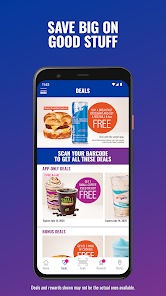
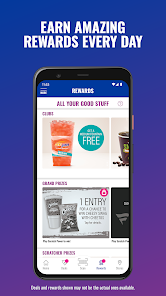
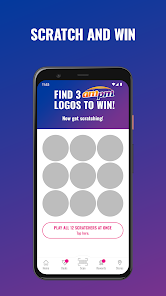
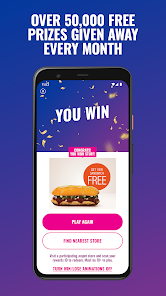
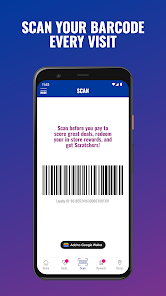
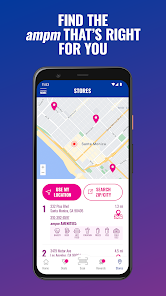
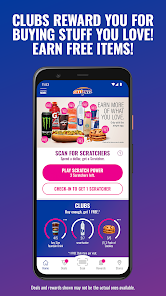

 Convenient 24/7 accessibility for all your needs Wide selection of snacks and beverages available Quick service ensures minimal wait times Affordable prices for budget-friendly shopping Clean and well-organized stores for easy navigation
 Limited menu options for diverse dietary preferences Higher prices compared to local alternatives Inconsistent quality across different locations Long wait times during peak hours
  Google Play
  App Store

love the app but don't like that you can't review past purchases and if you can it's not easy to find. but the app is pretty good and the deals are great. love the scratch off game that actually gives you prizes. while I'm here though, I'm not sure about the higher ups at ampm due to the way not all but an uncomfortable majority of employees treat certain customers. I go out of my way to place items at the register if I'm gonna browse for anything so it's in view yet the harassment is insane
I wish the odds of winning on the scratcher games were a bit higher....I feel like I maybe win once every two or three months. when you do eventually win, the variety of prizes is extremely scarce or I end up with prizes that I would never purchase, like literally ever...it would be nice if the prizes were kind of tailored to your regular/frequent purchases so you actually end up with prizes that you'll be happy with and actually use.
highly recommended for those who spend a lot on snacks drinks! when I do stop to purchase snacks and drinks my total is usually half of what it would normally cost if I did not download app. The discounts are so good that I am actually going out of my way just to make it to AMPM to take advantage. OH and I almost forgot to mention every in-store purchase you make gets you scratchers back on the app are the scratchers allow you to win food and drink prizes! SO OVERALL I WOULD HIGHLY RECOMMEND!!
Totally useless. I'm not getting the redbull deals anymore. I have to check out separately with the reward items only or if it's with any items I have to pay for the reward items charge full price. I've uninstall and reinstall several times. Employees at the store said they've hear the same issue from other customers. Not sure what changed in the last few months but it's not working like it did.
Horrible. Bait and switch tactic. Like they say "Download our app and look at all the things you can get...for free!" So I downloaded it and actually had free items on the app, some are one-off prizes, some are only on certain days of the week. Alright, that's cool. But, no! It's all a lie. 4 times now, I have gone into different AM/PM locations to get an item that I have "free" in my app. 4 times I have gotten NOTHING. Not once, have I gotten any of them. I used to buy stuff there, NOT ANYMORE!
Review Source: Google Play store public user reviews.
Yes, users can submit feedback through the app or the official website.
Yes, ampm collects personal data to enhance user experience and for service improvements.
Yes, ampm allows some features to be accessed offline, but full functionality requires an internet connection.
Since ampm is free, there is no subscription to cancel. Simply uninstall the app if desired.
ampm does not have a subscription model; it is free to use.
You can reach customer service through the app's help section or by calling the customer support number listed on the ampm website.
To activate, check your email for the activation link sent after registration and click on it to complete the process.
To log in, open the app, enter your registered email and password, then tap the login button.
Yes, you need to activate your account via the email link sent during registration.
The customer number for ampm app inquiries is available on the official ampm website under the contact section.
We've fixed some bugs and made some enhancements.