Category: Health & Fitness
Developer: StepUp Inc
 Verified App


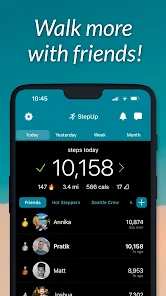
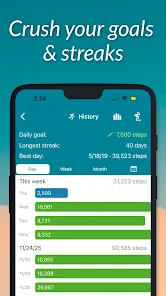
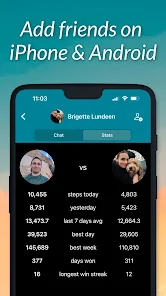
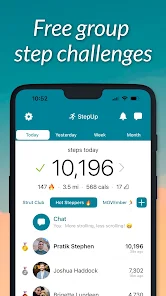

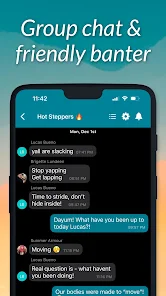
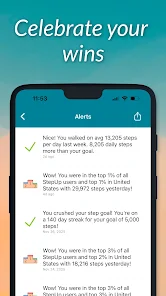

 StepUp Pedometer Step Counter app offers a range of benefits to enhance your fitness journey. Track your daily steps easily! Set personalized fitness goals! Monitor your progress over time! Engage with a supportive community! Enjoy a user-friendly interface!
 Limited customization options Inaccurate step tracking Battery drain on devices Ads can be intrusive Lack of social features
  Google Play
  App Store

Cute app, but the notifications are insane. I've turned notifications off, but I'll get at least 2 at the same time that are not very helpful. I just got SEVEN notifications at one time, all along the lines of "steps are helpful, steps are healthy, steps are creative". Might delete the app soon if i can't actually turn off notifications.
This app offers very little new compared to built in trackers. I originally downloaded so I could join my company's stair step contest. However, joining a work group requires an account, and an account required a Facebook or Google connection. To me, this is a blatant reach for personalized data, and an increased risk for data breaches. I would rather sign up via email, but that is not an option. So I'm uninstalling. This app just isn't wish the data and space it takes up for what it is.
This is an engaging app due to the game-like experience of friendly competition to your peers or to bots (your choice). It is a help to stay on target for daily walking goals. In the unpaid version, there are ads, but I did not find them overwhelming. However, due to the excellence of the app, its simplicity, and use off-line, I have opted for the paid version.
I've been trying this for about a month now and the daily step total that is being recorded is nowhere near the number of steps that I take in a day. I have a very physical job. I am on my feet all day except for 1 hr for lunch & I start counting before I leave home. The totals on this app are at least 3 to 4 thousand steps fewer than what I know I'm taking, from having used other pedometers. The app came highly recommended but I am very disappointed 😞
It's really disappointing that it doesn't keep accurate step count. Several friends with apple and Android wanted to be in a friendly step competition and the android are always off. You have to get a 3rd party app to sync but that's only free for a little while. I was hoping if I paid for the app it would sync better but nope still sucks. If you could fix it I would give 5 stars but I think people should know it doesn't keep accurate step count!
Review Source: Google Play store public user reviews.
You can reach customer service through the app's settings or visit our website for support options.
Open the app, tap on 'Log In', and enter your registered email and password.
Yes, after downloading, open the app and follow the on-screen instructions to create or log into your account for activation.
The customer number is available in the app under the 'Help' section or on our official website.
Bug fixes and improvements