
Category: Books & Reference
Developer: Supreme Court of Pennsylvania
 Verified App


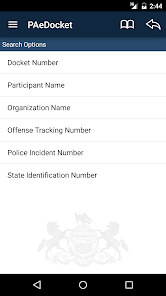
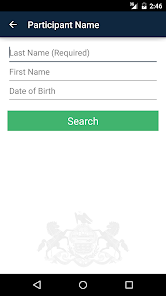
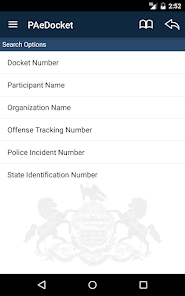
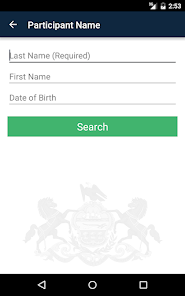
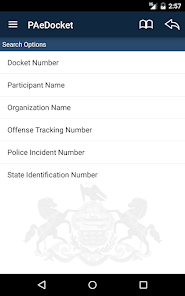

 Streamlines document management for legal professionals Enhances collaboration with secure sharing features Improves accessibility with cloud-based storage solutions Automates reminders for important deadlines Facilitates easy tracking of case progress
 Limited user support options available Interface can be confusing for new users Lacks integration with other legal software Updates may introduce new bugs or issues
  Google Play
  App Store

useful for simple state & local background checks. also good for personal info and research for whatever purpose. I think the site could be an easier read and the format could be much better suited for phone use rather the PC use, that's why only 3 stars. but overall I do use this app and it serves it's purpose.
App keeps syncing and then times out. Try again & again, and it just keeps syncing & timing out. I uninstalled the app then installed it a week later. Same problems. Years ago, when I installed app, it worked with no problems and was able to follow cases I was interested in. Currently, nada.
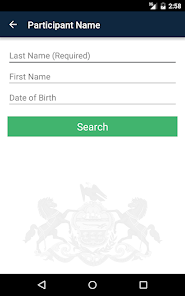
Super easy to use and gives accurate, up to date information on current and past court cases. Provides everything you would need to know on the case such as date, docket number, financials, mandates, and final decisions. Only need the name (first and last) and birthdate of someone to be able to look them up. Much faster and more user friendly than trying to navigate via portal website. Great for those looking to access this public information!
The information is all there; however, the layout and navigation are still just as atrocious as they were the day this app was released. I forgot how fun it was to navigate in landscape view for no good reason lol!
This app is amazing for finding out what skeletons are hiding in people's closet. Also fun to see what trouble your first grade teacher ever got in or your friends. If they live in Pennsylvania and got in trouble. All all there! Like everything from what they got in trouble for to sentencing. Everything. 😂 My parents used it to screen new tenneants. 5* have and will recommend. Only comment is I wish it updated faster. Still 5* though
Review Source: Google Play store public user reviews.
Can I submit suggestions or feedback to PAeDocket? Yes, users can submit feedback and suggestions through the app or via the official website to help improve the service.
You can reach Customer Service by calling the support number listed in the app or visiting the official website for assistance.
Click the activation link in the email you received after signing up to complete the activation process.
Open the app, enter your registered email and password, then tap 'Log In' to access your account.
Yes, you need to activate your account via the link sent to your email after registration.
The Customer Number is typically provided in your account settings or welcome email. Check the app for specific details.
Bug fixes and stability improvements.