Category: Finance
Developer: PT Espay Debit Indonesia Koe
 Verified App


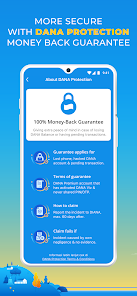
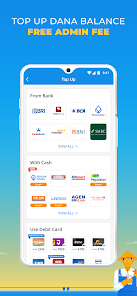
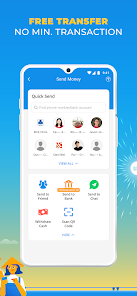
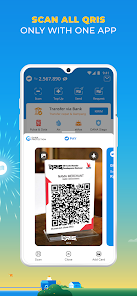
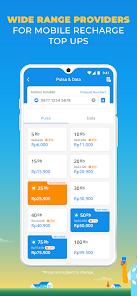
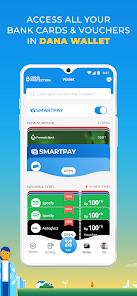
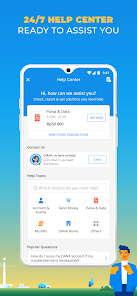

 DANA Indonesia offers seamless payments Enjoy secure transactions anytime Easily pay bills and top-ups Access exclusive promotions daily User-friendly interface for all
 Limited merchant acceptance Frequent app glitches High transaction fees Complex user interface Slow customer support
  Google Play
  App Store

As an expat relying on Dana for daily payments, everything worked smoothly for a month, aside from the hassle of entering an OTP for every QR transaction via credit card. 2 weeks ago, they suddenly blocked my card for "security reasons," despite completely normal activity. When I contacted customer service, they initially claimed my account was invalid until I provided proof. My card remains blocked till today. I'm switching to more reliable apps.
Please add dark mode. I personally find the current white interface uncomfortable, especially at night, and it causes eye strain when I check my balance or use the app in low light. A simple dark mode toggle would make the app much more comfortable for me to use
The app still showing some unnecessary promo notifications even though I turned off all kinds of unnecessary notification, including the "Promo & Voucher" notification. I only just need a transaction and payments reminder notifications.
The system is always busy, and I can’t even log in when I actually need it. I’ve been trying over and over again just to make one simple payment, and it keeps saying ‘system busy, try again later.’ Like, how much later? Hours? Days? I literally missed a Steam discount because of this mess. What’s the point of calling it a digital wallet if I can’t even access my own money when I need it most? Fix your servers, DANA this is beyond frustrating.
I'm from Australia, so far so good for me, no issues making payment in Jakarta during my visit last month. However, when i went to Alfamart to top-up my account, the my mobile number is not recognised. my only option is through my card. one other thing is the notification sound, it sounds like when you press one particular key for too long on Windows. its loud and alarming, and always give me a shock. is there any way to change it, i've disabled all notification from the app.
Review Source: Google Play store public user reviews.
No, DANA requires an internet connection to perform transactions and access features within the app.
You can contact DANA customer service through the app's help center or by calling their customer service number available on their official website.
To deactivate your DANA account, contact customer service through the app or their website for assistance with the deactivation process.
To update your personal information, log in to the app, go to your profile settings, and edit the necessary details.
To activate your DANA account, download the app, register with your phone number, and follow the prompts to complete your profile and verification.
Fast access, secure as always 🚀Use your fingerprint or face to log in instantly.Bugs fixed, performance improved.Update your DANA now!