
Version:
Developer: Google LLC
 Verified App
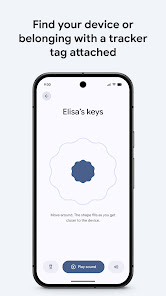
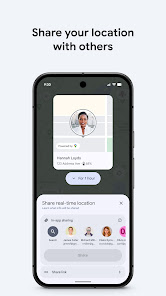
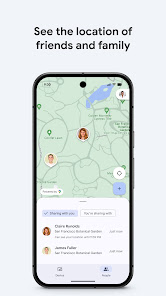
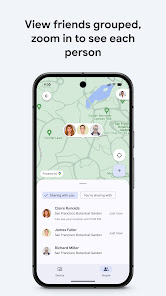
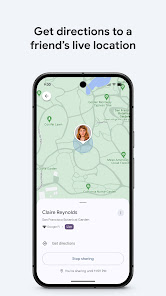
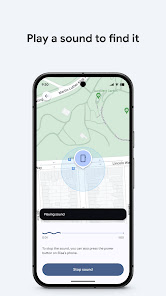
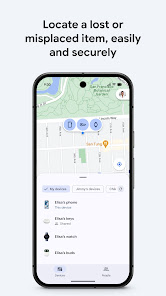
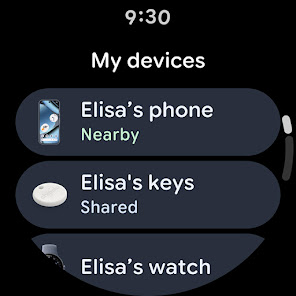
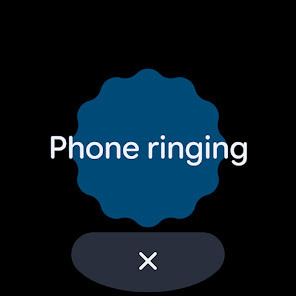
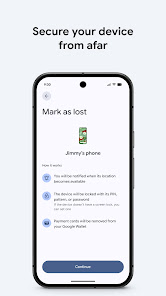
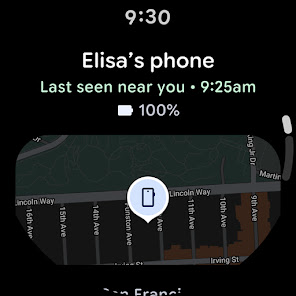
Google Find My Device is a mobile app that allows users to locate, lock, or erase their Android devices in case they are lost or stolen. The app is available for download on the Google Play Store and is pre-installed on most Android devices. To use the app, users must sign in with their Google account and enable location services on their device. Once the app is set up, users can locate their device on a map, remotely lock it, or erase its data if necessary. Google Find My Device also offers other features, such as the ability to play a sound on the device, even if it is set to silent mode, and the ability to display a message on the device's lock screen, such as a phone number or message. This can help users recover their lost or stolen device and protect their personal information.
Features & Highlights
Google Find My Device is a powerful tool designed for Android users who want to keep track of their devices. With its range of features, it ensures that you can locate, lock, or erase your device remotely, providing peace of mind in today's fast-paced digital world.
Real Experience Using Google Find My Device
Application Scenarios
As someone who’s always on the go, I often find myself in situations where I need to quickly locate my devices. Just the other day, I was at a crowded event when I realized my smartphone was missing. In a panic, I opened the Google Find My Device app on my tablet. Within seconds, I had a map showing its location, and I was able to navigate directly to it. I’ve also used the app when my phone slipped between the couch cushions at home—just a quick sound activation, and I could hear it buzzing away, guiding me to its hiding spot.
User Experience
The user interface of Google Find My Device is incredibly intuitive. Upon opening the app, I am greeted with a clean layout that displays my devices in a list format. The workflow is straightforward; with just a few taps, I can locate my device, lock it, or trigger a sound. Performance-wise, I’ve never encountered lag or issues when using it, which is crucial during those critical moments when I need to act fast. Overall, using this app has been a breeze, leaving me feeling empowered and secure about my devices.
Pricing
One of the best parts about Google Find My Device is that it’s completely free to use. There are no hidden fees or subscriptions, making it accessible for everyone. This is a huge plus in a market where many similar services come with a price tag. The cost-free nature of the app ensures that I can use it without worrying about additional expenses.
Updates & Support
Google regularly updates Find My Device to enhance its functionality and user experience. I’ve noticed improvements in speed and accuracy over time, which shows the company’s commitment to user satisfaction. Should I encounter any issues, Google provides extensive support documentation online. Additionally, the community forums are a valuable resource for troubleshooting and tips, making it easy to find answers to any questions that may arise.
Security & Privacy Review
As an American user, security and privacy are paramount when it comes to apps that track my devices. Google Find My Device is sourced directly from the Google Play Store, ensuring that I’m downloading a legitimate application. Registration is straightforward, requiring only my Google account—no excessive personal data collected. I appreciate that there are no intrusive ads or tracking behaviors within the app, allowing me to use it worry-free. Overall, Google Find My Device strikes a balance between functionality and privacy, making it a reliable option for users concerned about their data security.

 Easily locate lost devices across multiple platforms. Streamlined interface for quick and efficient searches. Real-time tracking ensures you never lose sight of important items. User-friendly features simplify the recovery process for everyone. Enhanced privacy settings protect your personal information while tracking.
 Limited compatibility with non-Google devices restricts user accessibility. Privacy concerns may arise due to data collection practices. Dependence on internet connectivity can hinder functionality in offline situations.
  Google Play
  App Store
 Yes, users can submit suggestions or feedback directly through the app, often found in the settings or help section.
Google’s Find Hub does collect some personal data to enhance user experience and provide personalized recommendations, but users can manage their privacy settings within the app.
Yes, Google’s Find Hub supports limited offline use, allowing users to access certain features without an internet connection, though full functionality may require connectivity.
Users can cancel their Google’s Find Hub subscription through the app's settings or by managing their subscriptions through their respective app store account.
Google’s Find Hub offers a subscription option that varies in price depending on the features selected, with details available within the app.
Yes, Find Hub allows you to log in using supported social media accounts. Just select the option on the login page.
To log in, visit the Find Hub website, click on the login button, and enter your email and password.
You can contact customer service through the support page on the Find Hub website, where options for chat or phone support are available.
You can reach customer service by visiting the support page on the Find Hub website and using the chat feature or phone number provided.
You typically cannot update your customer number directly; please contact customer service for guidance on any changes needed.