Category: Parenting
Developer: Aura Sub LLC
 Verified App



Features & Highlights
Real Experience Using Circle Parental Controls App
Application Scenarios
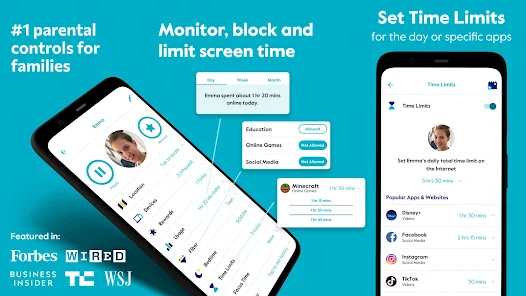
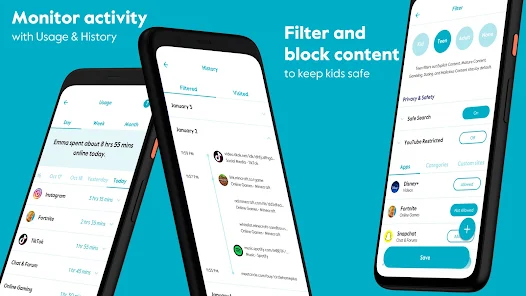
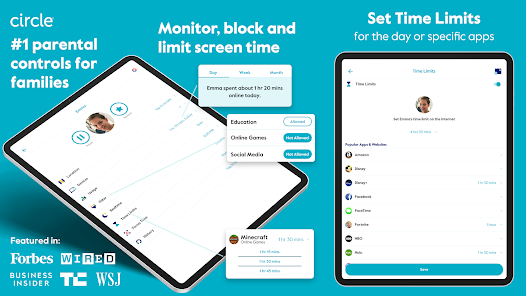
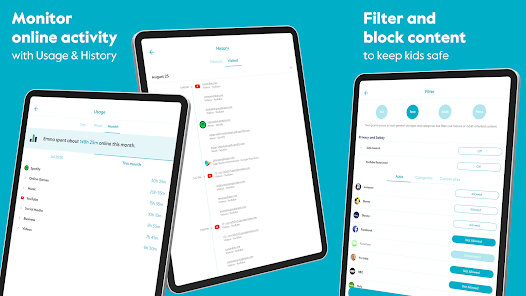
As a parent, finding a balance between allowing my children to explore the internet and ensuring their safety can feel like a daunting task. The Circle Parental Controls App has become an invaluable tool in our household. One particular scenario that stands out is during the summer break when my kids have more free time. I set up the app to limit their screen time to two hours a day for social media and online gaming. This way, I encourage them to read books and engage in outdoor activities, which is a great way to keep them entertained and healthy. Additionally, I use the filtering feature to ensure they aren't exposed to any inappropriate content while browsing. Knowing I can customize these settings from my phone gives me peace of mind.
User Experience
The user interface of the Circle Parental Controls App is incredibly intuitive. When I first downloaded the app, I was impressed with how easy it was to navigate. The dashboard is straightforward, with clear icons representing each feature. Setting up profiles for each of my children took just a few minutes. I appreciated the step-by-step prompts that guided me through the process without overwhelming me with technical jargon. Performance-wise, the app functions smoothly without any lag, which is crucial when you’re trying to manage internet access in real-time. After using Circle for a few weeks, I feel empowered to have meaningful discussions with my kids about their online habits, rather than just imposing restrictions.
Pricing
Circle Parental Controls offers various pricing plans, starting with a monthly subscription that is quite affordable. For around $9.99 a month, you gain access to all its features, which I believe is a worthy investment considering the peace of mind it provides. Additionally, there’s an option for an annual plan that offers even greater savings. Overall, the pricing feels reasonable for the level of control and insight it gives me as a parent.
Updates & Support
Circle offers solid customer support, which I found helpful during my initial setup. They have a detailed FAQ section on their website that addresses common questions, and I was able to reach out via email for specific inquiries. Their response time was impressive, and they provided clear guidance. The app also receives regular updates that improve functionality and security, showing that the developers are committed to maintaining a high-quality user experience.
Security & Privacy Review
As an American user, security and privacy are always top-of-mind when using apps like Circle Parental Controls. The app is available on both the App Store and Google Play, which adds a layer of credibility. When I signed up, the registration process required minimal personal data, which I appreciate. Circle only requested essential information, making me feel more secure about my privacy. Importantly, the app does not bombard users with ads, nor does it engage in tracking behavior that could compromise personal data. This focus on privacy is essential for parents concerned about their children's online safety and their own data security, allowing us to use the app with confidence. Overall, Circle Parental Controls has proven to be a trustworthy solution for managing my family's digital life while prioritizing security and privacy.

 Circle Parental Controls App offers a range of benefits for families.
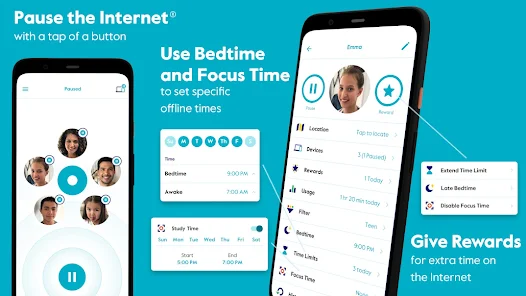
Easily manage screen time Monitor online activity Set content filters effortlessly Receive usage reports weekly Pause the internet anytime
Circle Parental Controls App offers a range of benefits for families.
Easily manage screen time Monitor online activity Set content filters effortlessly Receive usage reports weekly Pause the internet anytime 
 Limited compatibility with devices Requires ongoing subscription fees Can be complicated to set up May cause internet slowdowns
  Google Play
  App Store

When it works it's great. But the app will randomly stop opening or working so I have to uninstall and reinstall. The trouble is, even that isn't fixing the issue right now and I've tried contacting support but the email support form won't submit. So right now I have no way to access my account, but can't reach a human to help me. 6/14: I've emailed support but get no response. It has been over a month and I've followed up multiple times. The chat support doesn't work and I can't reach a human.
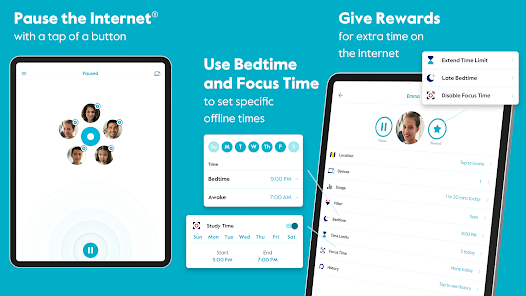
When it actually loads, it works fine, but it often takes upwards of 5 minutes to load. My biggest complaint is that when devices are being used during "focus time" it always uses up their regular time limit, even though it's not supposed to. For example, we have focus time set from 7am-12pm, with certain apps allowed. If they listen to audiobooks (which are allowed!) for 3 hours during focus time, it won't allow them to play games/watch videos during the hour I have given. It's frustrating!
The restrictions work, but as a 14 year old, I have some problems / recommendations for the child side of the app. I use a samsung phone, and half of the time when I open the app, the internet I use doesn't update on the app. Sometimes it doesn't even give me the 15 minutes left and the out of time notification. On the topic of notifications, I feel that u should be able to choose when it notifies me. There could be a settings tab where I could choose it to notify me when I have 30-60 mins left.
This app is terrible and barely works. Why am I paying for it? I haven't been able to connect to the circle app for a while now, it gives an error saying cannot connect to circle... Also, anyone who can't login using their email address, the login is case sensitive. I had the same issue until I made my entire email lowercase. Hope that helps someone.
The device hasn't kept up with technology in general. The Circle device is supposed to identify the devices on my network, but it couldn't identify most of them. So I wasn't sure which devices I was working with and didn't know which settings to establish. It was such a mess. The few devices it did identify still didn't have finding and other settings working after I established them. At one point the app finally crashed and wouldn't open again. I never was able to open again.
Review Source: Google Play store public user reviews.
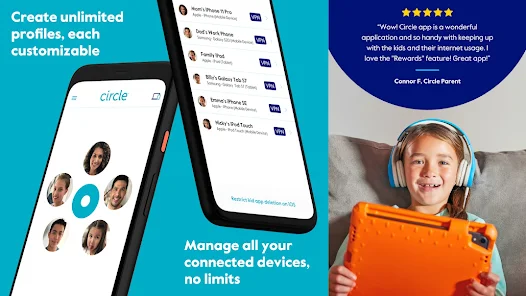
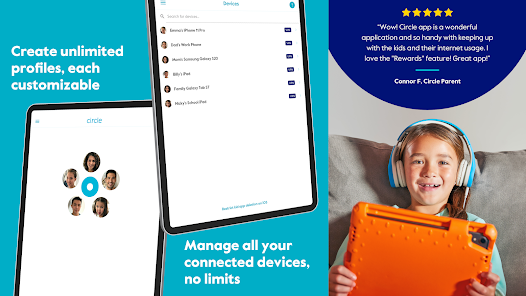
Yes, Circle allows you to create individual profiles for each child, enabling you to customize settings and restrictions according to their age and needs. This way, you can tailor internet access and controls specifically for each child.
Absolutely! Circle has a feature that allows you to pause internet access for specific devices or for the entire network. This can be particularly useful during family meals or designated study times, helping to minimize distractions.
Yes, Circle allows you to set daily time limits for device usage. You can specify how long your child can use certain apps or devices each day, helping to encourage a healthy balance between screen time and other activities.
Circle includes a location tracking feature that allows parents to see the real-time location of their child's devices. This feature can be especially useful for keeping track of children's whereabouts for safety purposes.
Circle connects to your home Wi-Fi network and can manage all devices connected to it. Once set up, it monitors internet traffic and applies the parental controls you've configured, ensuring that all devices—phones, tablets, and smart home devices—are included.
You can reach customer service by visiting the Circle website and using the support chat or email options provided. Phone support may also be available.
To activate, download the app, create an account, and follow the on-screen instructions to connect it to your home Wi-Fi network.
Open the app, enter your registered email and password, then tap 'Log In'. If you’ve forgotten your password, use the 'Forgot Password' option.
Circle does not have a specific customer number; instead, you can use their support page for assistance.
This release includes some minor bug fixes. If you have questions, please visit support.meetcircle.com.