This site uses cookies to enhance your user experience. By clicking any link on this site you are giving your consent to our cookie policy. Read more
Reject
Accept All

Advertiser and Editorial Disclosures

Amazon Kids Parent Dashboard

Amazon Kids Parent Dashboard

Category: Entertainment

Developer: Amazon Mobile LLC

Verified App
Rating: 4.1
Price: free
Age Rating: Everyone
Version: 1.12.0.3865
Updated on: Jun 26, 2026
Available on: /
Screenshot 1
Screenshot 2
Screenshot 3
Screenshot 4
Screenshot 5
Screenshot 6
Screenshot 7
Screenshot 8
Screenshot 9
Screenshot 10
Screenshot 11
Screenshot 12
Screenshot 13
Screenshot 14
Screenshot 15
Pros
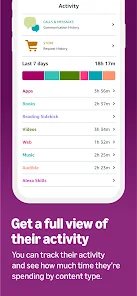
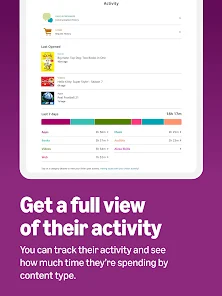
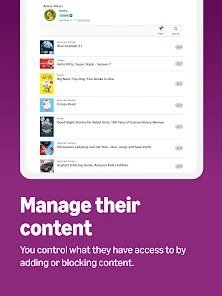
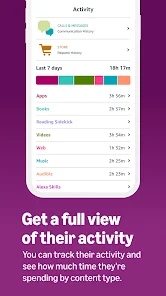
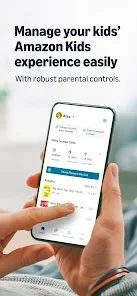
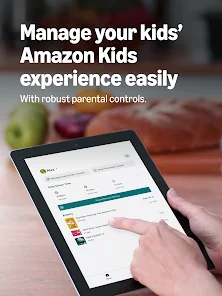
  • The Amazon Kids Parent Dashboard app offers a range of benefits for parents looking to manage their children's screen time effectively. Easily monitor app usage
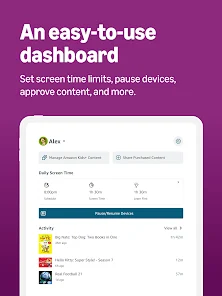
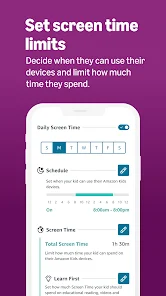
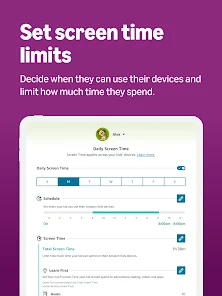
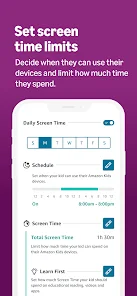
  • Set daily time limits
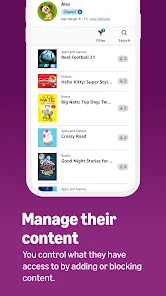
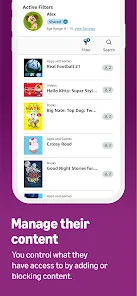
  • Customize content filters
  • Track reading progress
  • Encourage educational activities
Cons
  • Limited content control options
  • Complex navigation for parents
  • Inconsistent app performance
  • High subscription costs involved
  • Lack of diverse educational tools

User Reviews

  • S
    Shannon Rivenbark
    2026/06/27

    love how safe my baby girl is with this!

  • G
    Gabe Sellars
    2026/06/27

    clunky interface

  • C
    Claire Peters
    2026/07/03

    want to see sons audible from a kids at a glance

  • T
    Tom Cerul
    2026/06/30

    Could I please manage purchase requests in the app. And it sure would be nice to know what I'm approving, for how much, and what card the money is coming from BEFORE I approve a purchase for my kid.

  • I
    Iliyana Encheva
    2026/06/30

    Very restricted options to control your child's screentime. There is no way of restricting time limits on apps that are not from Amazon. Very much dislike this app and quite useless.

Review Source: Google Play store public user reviews.

How to use Amazon Kids Parent Dashboard

1

How can I contact customer service for the Amazon Kids Parent Dashboard app?

You can contact customer service through the Amazon website or app, or by calling Amazon's customer support number listed on their help page.

2

How do I activate the Amazon Kids Parent Dashboard?

To activate, download the app, log in with your Amazon account, and follow the on-screen instructions to set up your child's profile.

3

How do I log in to the Amazon Kids Parent Dashboard app?

Open the app, enter your Amazon account credentials, and tap 'Sign In' to access the dashboard.

4

What is the customer number for Amazon Kids Parent Dashboard support?

The customer support number for Amazon is typically 1-888-280-4331, but check the Amazon website for the most current number.
What's New

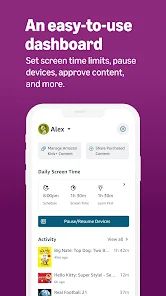
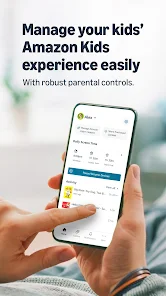
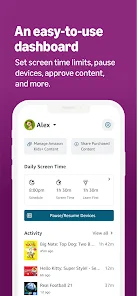
Your Parent Dashboard just got a major upgrade. Same features you rely on, new layout that's faster to navigate. Home shows every child at a glance. Bonus time, pause, or check activity in one tap. Tap any child to see their activity, adjust time limits, update schedules, or manage content. No more jumping between screens. All your kids' devices in a single list. Check status or adjust settings right from the Devices tab.

Editor's Choice