This site uses cookies to enhance your user experience. By clicking any link on this site you are giving your consent to our cookie policy. Read more
Reject
Accept All

Advertiser and Editorial Disclosures

QuillBot: AI Writing Assistant

QuillBot: AI Writing Assistant

Category: Productivity

Developer: QuillBot

Verified App
Rating: 3.8
Price: free
Age Rating: Everyone
Version: 3.14.0
Updated on: Jul 1, 2026
Available on: /
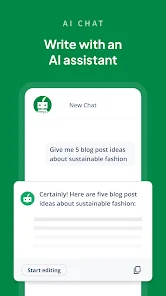
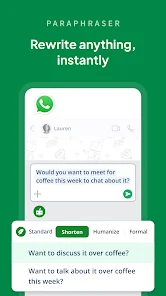
Screenshot 1
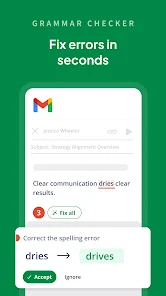
Screenshot 2
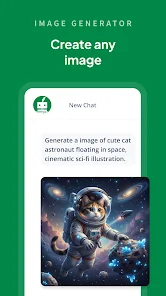
Screenshot 3
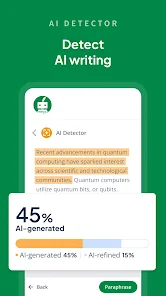
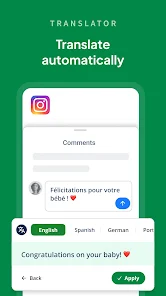
Screenshot 4
Screenshot 5
Screenshot 6
Screenshot 7
Screenshot 8
Pros
  • QuillBot enhances your writing!
  • It offers seamless grammar checks!
  • Paraphrasing made easy and quick!
  • Boosts vocabulary with synonyms!
  • Supports multiple languages for all!
Cons
  • Limited free features available
  • Occasional inaccuracies in text
  • Dependence on internet access
  • Subscription costs can add up
  • Not suitable for all writing styles

User Reviews

  • R
    Ragavan Raja
    2026/07/03

    Latest Update have too much of Bug - Even I don't use this Keyboard. Once its resolve this issue, Invite Me. Regards, RR

  • A
    AWM
    2026/07/03

    Quillbot is a great app!

  • A
    AJIBIKE YAQUB
    2026/07/02

    awesome app, I find it helpful in all ways.

  • G
    Govinda Bhargav
    2026/07/01

    this is the best app i have ever seen ❤️❤️❤️❤️❤️

  • O
    Oderinde Omolara
    2026/06/30

    Best correcting Al

Review Source: Google Play store public user reviews.

How to use QuillBot: AI Writing Assistant

1

How can I contact QuillBot's customer service?

You can reach QuillBot's customer service through their support page on the website or by emailing support

2

How do I activate my QuillBot subscription?

After purchasing a subscription, log in to your account, and your subscription will be activated automatically.

3

How do I log in to my QuillBot account?

To log in, visit the QuillBot website and click on the "Log In" button, then enter your email and password.

4

What is the customer number for QuillBot?

QuillBot does not publicly list a customer number; please use their support page for assistance.

What's New

✨📱 A Smoother QuillBot Experience Awaits!We've made a series of improvements to help you write with less friction and more confidence.🎨 Refreshed branding with an updated look and feel🔍 AI-generated text is now highlighted for easier review and analysis⚡️ A smoother, more responsive Android Assistant widget🎯 Better widget placement and visibility—showing up only when you need itUpdate now for a cleaner, smarter, and more seamless QuillBot experience. 🚀✨

Editor's Choice