Version: 4.97
Developer: British Airways plc
 Verified App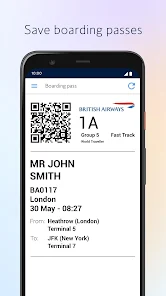
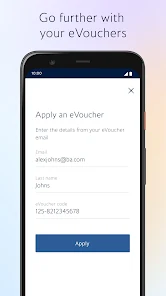
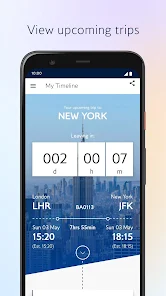
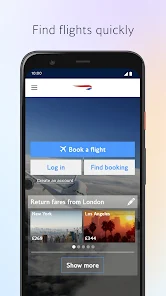
The British Airways mobile app is a smartphone application developed by British Airways for its customers. The app provides features such as booking and managing flights, checking in, accessing boarding passes, and tracking flights. Users can also access their Executive Club account and use their Avios points to book flights or upgrades.
Features & Highlights
The British Airways app is more than just a tool for booking flights; it's a comprehensive travel companion designed to enhance your flying experience. Here are some of its standout features:
Real Experience Using British Airways
Application Scenarios
As a frequent traveller for work, the British Airways app has become an integral part of my journey planning. Last month, I had a business trip to Edinburgh, and the app played a crucial role from start to finish. I booked my flight while waiting for my coffee in the morning, quickly navigating through the user-friendly interface. Once my travel date approached, I used the app to check in and download my boarding pass, which I stored conveniently on my phone. The app even sent me a notification about a gate change while I was en route, which helped me avoid any potential last-minute chaos at the airport.
User Experience
The British Airways app boasts a clean, intuitive design that makes navigating through its numerous features feel effortless. The home screen provides quick access to flight bookings, check-in, and travel updates, creating a streamlined user experience. I particularly appreciate the way the app organizes my travel history, allowing me to view past flights and upcoming itineraries at a glance. Performance-wise, I’ve experienced minimal lag, even during peak times when many users are likely accessing the app. Overall, I feel confident using the app, as it enhances my travel experience rather than complicating it.
Pricing
Accessing the British Airways app is free of charge, which is an excellent perk for frequent flyers. However, the cost of flights and in-flight services can vary significantly based on demand, time of booking, and destination. It's always advisable to compare prices and consider any additional costs, such as baggage fees, to ensure you’re getting the best deal available. The app allows for easy price comparisons, making it a valuable tool for budget-conscious travellers.
Updates & Support
The British Airways app is regularly updated to introduce new features and improve user experience. I appreciate that the developers listen to feedback, as I've seen several useful updates over the past year. In case of issues, customer support is readily available through the app, providing live chat options and FAQs to help users swiftly resolve any concerns. I’ve reached out a couple of times for assistance, and each experience was prompt and helpful, further solidifying my trust in the airline.
Security & Privacy Review
When it comes to security and privacy, the British Airways app takes significant measures to protect user information. The app is available on both the App Store and Google Play, providing a reliable source for downloads. To use the app, you need to register with personal information, including your email address and flight details, which is fairly standard in the travel industry. However, I did notice that the app collects data for functionality improvements and marketing purposes, which can be a concern for privacy-conscious users. I recommend reviewing the privacy policy to understand how your data is handled. Overall, the app strikes a balance between convenience and security, but it’s always wise to stay informed about what data you are sharing.

 Exceptional customer service enhances your travel experience Extensive global network connects you to numerous destinations Comfortable seating ensures a pleasant journey every time Award-winning in-flight entertainment keeps you engaged Flexible booking options cater to your travel needs
 Frequent flight delays and cancellations occur often. Customer service can be unresponsive and slow. High fees for checked baggage and extras apply. Inconsistent in-flight experience across different routes.
 Yes, British Airways collects personal data to provide services, improve customer experience, and comply with legal requirements. This may include information like your name, contact details, and travel preferences.
British Airways does not offer a free trial or free version of its app, but the app itself is free to download and use for accessing various travel-related services.
Yes, British Airways typically requires an internet connection to access most features of the app, including booking flights and checking your flight status. However, you may be able to access some features offline if they are pre-downloaded.
You can contact British Airways support through their official website or mobile app, where you can find help articles, live chat options, or customer service phone numbers. Feedback can also be submitted through their website.
Since British Airways does not have a subscription model, you would need to manage or cancel your flight bookings directly through the app or website, following the specific procedures for your reservations.
You can contact customer service via the 'Help' section in the app, where you can find options for live chat or phone support.
Your customer number can be found in your profile section under 'Account Details.'
Open the app, tap 'Log In,' then enter your email and password associated with your account.
To activate your account, you need to verify your email address through a link sent to your inbox after registration.













 Google Play
  App Store