
 Home
Home  Apps
Apps  Games
Games  Windows
  Disclaimer
  Cookies & Privacy Poiicy
Bible Gateway
Version: 7.0.26
Developer: HarperCollins Christian Publishing
 Verified App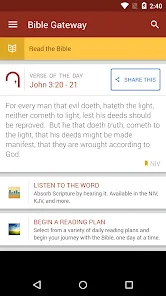
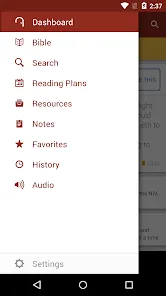
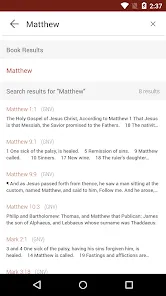
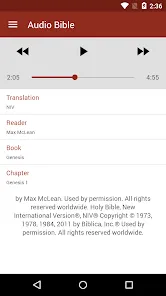

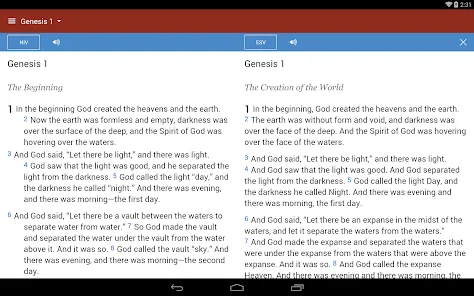
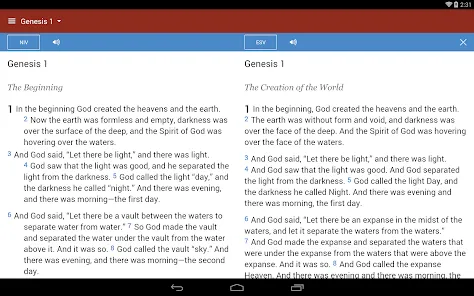
The Bible Gateway mobile app is a free app that allows you to read, listen to, and compare over 200 versions of the Bible in over 70 languages. The app also includes a range of features to help you study the Bible, including dictionaries, commentaries, and devotionals. You can even set up daily reading plans and track your progress. Whether you're a lifelong student of the Bible or just beginning your journey, the Bible Gateway mobile app is a great way to access the world's most popular book on your mobile device.
Features & Highlights
Bible Gateway stands out as one of the most comprehensive Bible study apps available today. Its user-friendly interface and vast array of features make it an essential tool for anyone looking to deepen their understanding of the Scriptures. Here are some core highlights that make this app a must-have:
Real Experience Using Bible Gateway
Application Scenarios
As an avid Bible reader, I find myself reaching for the Bible Gateway app in a variety of scenarios. Whether it’s during my morning coffee, when I want to start my day with a devotional, or while sitting in a coffee shop, studying for a midweek Bible study group, the app has become a staple in my routine. One notable instance was when I was preparing a lesson for a youth group. I used the search function to quickly find verses about courage and faith, which I then incorporated into my teaching. The app not only saved me time but also enriched my lesson with relevant scripture.
User Experience
The user interface of Bible Gateway is intuitive and easy to navigate. Upon opening the app, I am greeted by a clean layout that allows me to dive straight into my reading or search for specific verses. The workflow is seamless; transitioning between different translations or accessing the audio Bible requires just a few taps. I have never experienced lag or crashes, which is critical when I’m in the middle of a study session. Overall, my experience with the app has been overwhelmingly positive. It makes scripture accessible, and the thoughtful design enhances my engagement with the Bible.
Pricing
Bible Gateway is free to download and offers a wealth of resources without any initial cost. However, there are premium features available through a subscription service. I appreciate that the free version includes so much functionality, making it accessible for everyone, while the premium features unlock even more depth for serious Bible study enthusiasts. I opted for the premium subscription to access additional resources, and the investment has been worth it.
Updates & Support
The developers of Bible Gateway regularly update the app, which shows their commitment to improving user experience. I’ve noticed enhancements in speed and additional features in recent updates. Customer support is responsive and helpful, addressing any issues or questions I’ve had promptly. Their FAQ section on the website is also a great resource for troubleshooting common problems.
Security & Privacy Review
When it comes to security and privacy, Bible Gateway takes user concerns seriously. The app is available on both the App Store and Google Play, ensuring a level of trustworthiness as it undergoes the necessary vetting processes. In terms of registration, I was able to create an account easily without being bombarded with excessive personal information requests. The app does not require sensitive data, which I appreciate as an American user concerned about privacy.
Moreover, I was pleased to find that Bible Gateway does not inundate users with ads, and there is no aggressive tracking behavior. This allows me to focus on my study without distractions. The app respects my privacy while providing a wealth of biblical resources, making it a reliable choice for anyone looking to explore their faith deeply and securely.
Pros 
-
 Discover numerous translations
 - Access audio Bible features
- Bookmark and highlight verses
- Daily devotionals and plans
- Share passages effortlessly
- User-friendly interface design
Cons 
-
 Limited offline access options
 - Ads can be distracting
- Interface may feel cluttered
- Some translations require payment
Get Installation Details  Google Play
  App Store
Google Play App Store FAQ
1
Can I submit suggestions or feedback to Bible Gateway? Yes, users can submit suggestions or feedback through the app or the website's contact form.
How to use Bible Gateway
1
Do I need to activate my Bible Gateway app?
Activation is not required; simply download the app and log in to access features.
2
How can I find the customer number for the Bible Gateway app?
The customer number is typically found in your account settings or on the official website under the support section.
3
How can I update my payment information in the Bible Gateway app?
Log in to your account, go to settings, and select payment options to update your information.
4
How do I change my account email for the Bible Gateway app?
Log in to your account, navigate to account settings, and update your email address there.
5
How do I contact Customer Service for the Bible Gateway app?
You can reach Bible Gateway Customer Service through the app’s Help section or visit their website for support options.
Top Apps







Similar Apps

Zillow: Homes For Sale & Rent
Zillow

4.8

YouTube Studio
Google LLC
4.3

Duolingo: language lessons
Duolingo
4.5

Canva: Design, Photo & Video
Canva
4.7

WEBTOON
WEBTOON ENTERTAINMENT
4.3

MANGA Plus by SHUEISHA
株式会社 集英社
3.2
Microsoft Excel
Microsoft Corporation
4.5

Venmo
Venmo
4.1

Pluto TV - Live TV and Movies
Pluto, Inc.
4.3

ZEDGE™ Wallpapers & Ringtones App
Zedge
4.7

Ulta Beauty: Makeup & Skincare
Ulta Inc.
4.6

GoodRx: Prescription Saver
GoodRx
4.8


